Amazon Product Demos: How to Create Ones That Convert
Amazon product demos are among the most directly persuasive video formats available to sellers — but only when they're structured around the buyer's decision-making process rather than the brand's desire to show everything the product can do. Most product demo videos fail not because the product is unimpressive but because the demonstration is organized in a way that never connects with the specific uncertainty preventing purchase.
This guide covers what separates compelling Amazon product demos from forgettable ones, how to structure them for maximum conversion impact, and the specific elements that make demonstration content work differently than brand storytelling or testimonial video.
What Amazon Product Demos Need to Accomplish
Before examining structure and technique, it's worth clarifying exactly what a well-executed product demo should accomplish — because the goal is narrower than most sellers assume.
The purpose of Amazon product demos is not to show everything the product can do. It's to resolve the specific uncertainty that's preventing a buyer who is already interested from committing to purchase. That distinction changes everything about how the demo is scripted and shot.
A buyer who reaches a product listing and watches the demo already knows, at a basic level, what the product category does. They're not watching to understand the product concept. They're watching to answer one or more specific questions — often questions that they haven't consciously articulated but that images and copy haven't fully resolved for them.
Furthermore, the most important thing a demo can do is make the product feel real in a way that static images cannot — real in terms of size, weight, texture, function, and realistic use conditions. This is the specific job that demo video does better than any other listing element.
The Most Common Demo Failure Mode
The most frequent mistake in Amazon product demos is organizing the video around product features rather than buyer questions. A feature tour — "this product has X, then Y, then Z" — rarely resolves the specific uncertainty that's actually preventing purchase. A question-resolution structure — "here's the concern most buyers have, and here's what actually happens" — does.
Structuring Compelling Amazon Product Demos
High-converting Amazon product demos follow a consistent structural logic regardless of product category.
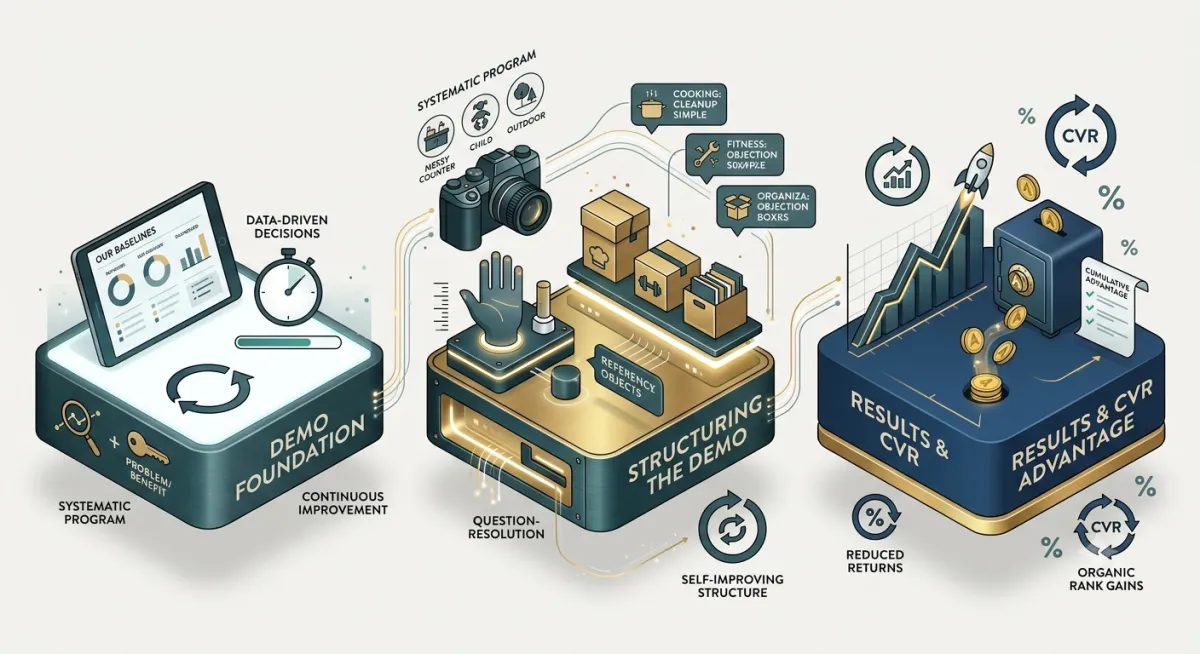
Open with the setup, not the product. The first 5 to 10 seconds should establish context — the situation or task the product is designed for — rather than simply showing the product. This context primes the buyer to watch the demonstration as a solution to their specific situation rather than as a generic product presentation.
Demonstrate function at the moment of highest relevance. The core demonstration should happen as early as possible after the context is established — not after a lengthy brand or feature introduction. Buyers who want to see the product work have low patience for preamble. Therefore, get to the demonstration before attention drops.
Show scale with a reference point. One of the most common purchase hesitations for physical products is scale — buyers often can't accurately judge size from product images. A well-structured demo includes a human hand, a common household object, or an explicit measurement reference that makes size immediately comprehensible. This single element, additionally, is one of the most effective at reducing returns driven by expectation mismatch.
Address the category's primary objection explicitly. Every product category has one or two concerns that show up repeatedly in competitor negative reviews and customer service inquiries. Specifically addressing those concerns during the demonstration — by showing what happens in the scenario buyers worry about — converts significantly better than demonstrations that avoid potential weaknesses.
Close with the outcome, not the product. The final frames of a compelling Amazon product demo should show the result of using the product — the clean countertop, the well-packed bag, the completed dish — rather than returning to a product shot. The outcome is what buyers are actually purchasing, and closing on it reinforces the purchase decision emotionally.
Specific Demonstration Techniques That Improve Conversion
Beyond structural principles, several specific techniques consistently improve the conversion performance of Amazon product demos.
Continuous motion during demonstration. Static product shots interspersed with action footage create visual interruptions that break the buyer's attention. Demonstrations that show product use as a continuous, unbroken sequence perform better because they allow the buyer to follow the logic of the use case without being pulled out of it.
Real-use conditions over idealized ones. Demonstrations shot in perfect studio conditions on pristine surfaces can inadvertently raise the question of whether the product works as well in real situations. Demonstrations that intentionally include realistic use conditions — a slightly cluttered counter, outdoor lighting variation, a child's actual level of coordination — resolve that concern preemptively.
Multiple use cases for versatile products. For products with genuine range of application, showing 2 to 3 distinct use cases within a single demonstration increases the buyer's sense of the product's value relative to its price point. Each additional credible use case presented makes the purchase feel more justified.
Voiceover or text overlay that guides attention. Buyers watching Amazon product demos with sound off — which represents the majority of viewers — need text overlays to understand what they're seeing during key demonstration moments. Well-placed text doesn't just caption the demonstration; it directs the buyer's attention to the specific element that resolves their concern.
Amazon Product Demos by Category: What Changes
While the structural principles above apply broadly, category-specific factors meaningfully affect how demonstrations should be executed.
Kitchen and cooking products. Speed of preparation is often a primary buyer motivation. Demonstrations that specifically show how quickly the product completes a task — with explicit timing or comparison context — address the most common purchase driver directly. Additionally, showing cleanup simplicity addresses one of the most common deterrents in this category.
Fitness and wellness products. Form and technique matter for buyers who want to use the product correctly. Demonstrations that show proper use alongside the product's function serve both the conversion and the post-purchase experience simultaneously — reducing both hesitation and returns.
Organizational and storage products. Capacity is almost always the primary uncertainty. Demonstrating exactly how much fits, how it compares to a reference point, and what the organized result looks like addresses the most common question before it needs to be asked.
Technical or multi-function products. Setup ease is frequently the silent conversion barrier. Many buyers worry that a product will be too complicated to use correctly. Demonstrations that specifically show how straightforward setup and operation are — without skipping steps to appear simpler — build the confidence needed to commit.
Ready to Create Amazon Product Demos That Convert?
At MyBrand Videos, product demonstrations are built around the specific questions your buyers are trying to answer — not around the features your team wants to highlight. Every demo we produce starts with review analysis and category research that identifies the conversion barrier the demonstration needs to resolve.
If your current listing has a demonstration video that hasn't moved conversion the way you expected, the structure or content focus is likely the issue rather than the production quality.
We'll review your current demo, identify what buyer question it isn't answering, and show you specifically what needs to change.
Related articles:
